
How CAD Approval Works Before Casting (and Why Skipping a Round Costs You)
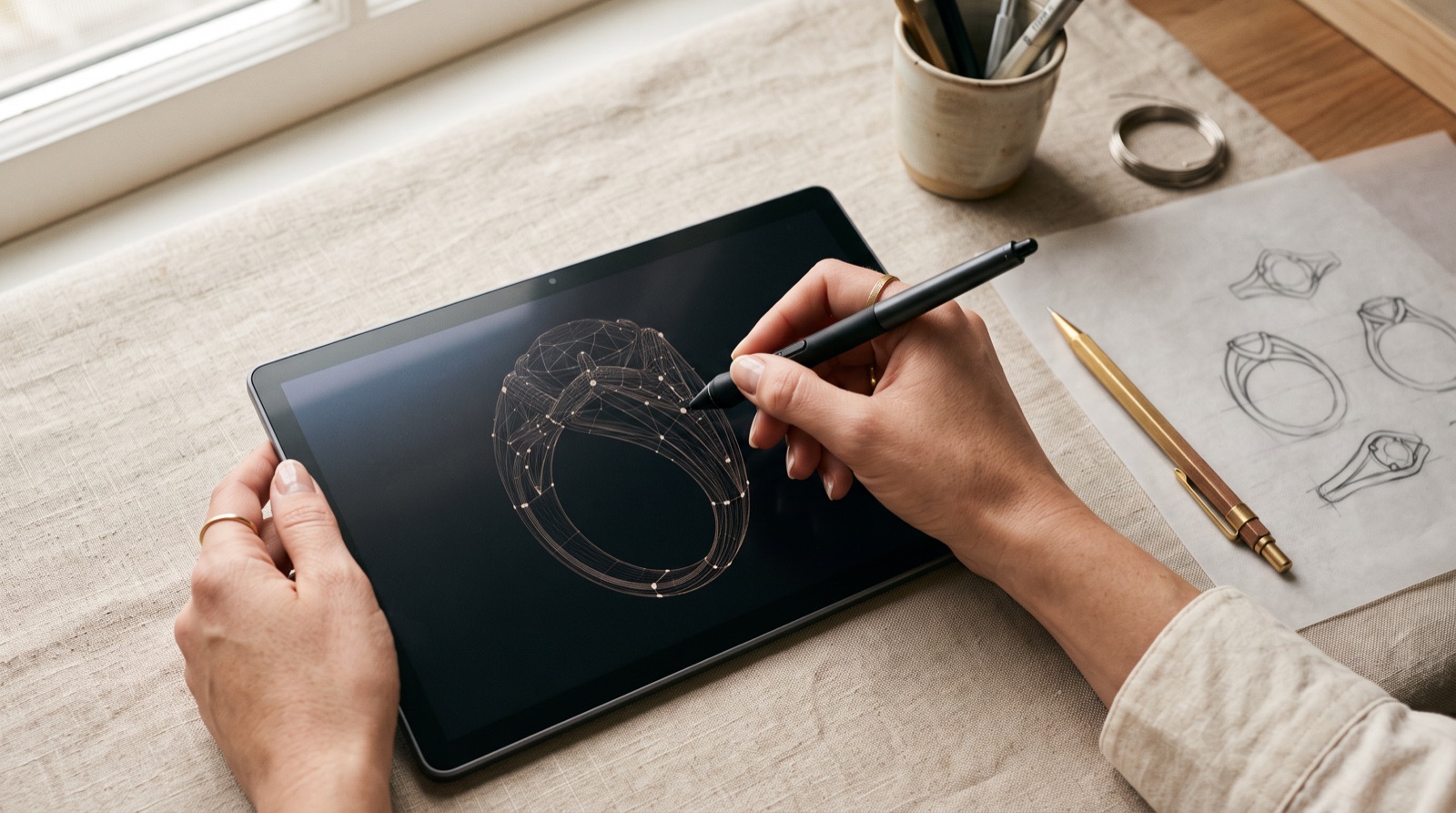
The CAD approval process is the last opportunity to change a custom piece while it still exists as a digital file instead of physical metal. Once you sign off, the specifications in that file — prong height, band profile, metal weight, engraving placement — become permanent. Anything caught after casting is not a correction. It is a scrap-and-rebuild.
Never approve a CAD render on first review. Verify stone seating and prong specifications. Confirm metal weight matches the original quote. Make sure the band profile matches what the client actually asked for. Lock down engraving placement and depth, and check it again on every revision round, not just the first one. Jewelers who treat CAD sign-off as a formality end up absorbing remake costs and blown timelines. Jewelers who run a real review protocol almost never see a post-casting error.
This matters most for outsourced custom work. When a piece is built by an outside manufacturing partner rather than at your own bench, the CAD file is the only quality checkpoint you get before irreversible physical production starts. There is no wax model to eyeball in person, no chance to catch a low prong by feel before the metal goes in the flask. The file on your screen is the entire inspection window, and it closes the moment you type "approved."
Why the CAD Stage Carries All the Leverage
Custom jewelry is built by lost-wax (investment) casting. The approved CAD file is converted into a wax or resin pattern, that pattern is invested in plaster, the plaster is burned out in a kiln, and molten metal is poured into the resulting cavity. The mold is destroyed in the process. There is no version of "adjust it slightly" once metal has filled that cavity — the only path to a change is starting over: new pattern, new invest, new burnout, new pour.
That is the entire reason CAD review carries so much weight. A prong that sits 0.3mm too low costs nothing to fix in a file — click, drag, re-render, done. The same prong height, caught after casting and setting, costs a full remake cycle: unset the stone, scrap the shank, rebuild the file, recast, reset, refinish. The leverage is not evenly distributed across the build. It is concentrated almost entirely in the ten minutes you spend looking at a render before you type "approved."
The CAD-to-Casting Pipeline, Step by Step
Every custom order moves through the same sequence regardless of who builds it. Knowing where you sit in that sequence tells you exactly how much of your leverage is still on the table.
| Stage | What Happens | What You're Actually Approving |
|---|---|---|
| Order intake | Center stone specs, metal type, band style, sizing, and engraving text captured in the design brief | Verification that the brief matches the actual client order — not a summary of it |
| Initial CAD render | 3D file built showing stone placement, prong structure, shank, and accent stones | First-look proportions, stone count, overall silhouette |
| Revision round(s) | File adjusted based on markups for geometry, weight, or placement changes | Everything from this point forward: seating, weight, profile, engraving |
| Final sign-off | Written confirmation that the current file version matches the order | The file version that proceeds to casting — locked, no further free changes |
| Casting | Approved file becomes a wax or resin pattern, then is cast in metal | Nothing — this stage executes exactly what received approval |
| Setting | Stones set into the cast piece by hand | Nothing — setting follows the approved seating geometry |
| Finishing & QC | Polishing, plating/rhodium application, final check against the approved CAD | The piece is verified against sign-off specifications, not judged independently |
| Ship | Piece ships unbranded by default, ready for jeweler presentation | — |
Read that table left to right and the pattern is obvious: every stage after sign-off is execution, not judgment. Casting does not reinterpret a file. Setting does not redesign a prong structure on its own initiative. Quality control at the end compares the finished piece against the approved specifications — it does not sit down and evaluate the ring fresh, the way you did during review. If an error survives to that final QC check, it survives because it was already baked into the file that got approved.
What to Actually Check at Each CAD Revision
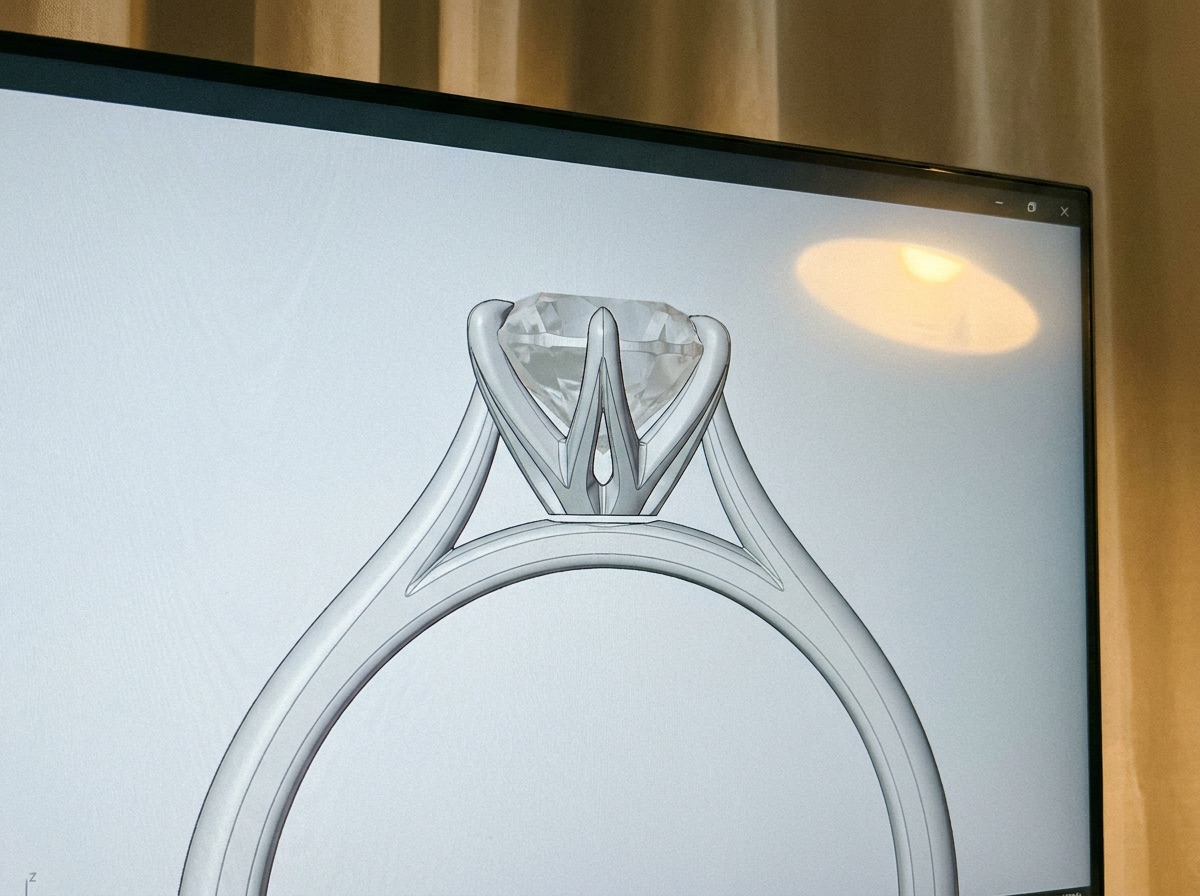
A CAD render is designed to look good on first glance — that is what the default hero angle and the polished lighting are for. Checking it properly means fighting that default and rotating, measuring, and cross-referencing instead of just looking.
Stone Seating and Prong Height
The default render angle is chosen to flatter the piece, not to expose problems. Rotate the file to a straight-on profile view and you can actually see whether the prongs clear the girdle enough to hold the stone securely without burying the crown. Low prongs on fancy-shaped center stones are the single most common seating error, and they are also the hardest to catch from a hero-angle screenshot — the error only becomes obvious once the piece is physically finished, at which point the fix is a full remake, not an adjustment.
Fancy shapes carry extra risk here. A round brilliant distributes stress evenly across four to six prongs; a cushion, princess, or pear needs prongs specifically placed to protect its corners and points, and a render that looks fine from the top can still leave a corner exposed once you check the profile view. If the shape has vulnerable points, confirm the render shows a prong (or a protective V-tip) actually covering them — not just floating near them.

Metal Weight and Estimated Grams
CAD software calculates a gram-weight estimate from the file's volume combined with the specified karat and alloy. That estimate has to match the assumptions baked into your original quote. Revisions that thicken the shank, add a cathedral setting, or change the band profile all change volume — and volume changes weight, and weight changes actual metal cost. Platinum and 18k gold are not interchangeable by eye on a screen; the same shank geometry in platinum will run heavier and pricier than the identical geometry in 14k gold, purely on alloy density. A weight mismatch caught during review is a one-line correction. The same mismatch discovered on the final invoice is a conversation you don't want to have with a client who already saw a number.
Band Profile and Comfort Fit
This is the check jewelers skip most often, because it reads as a style preference rather than a hard specification. It isn't. Comfort-fit (rounded interior), knife-edge, and flat-interior profiles wear completely differently on the hand, and none of them are interchangeable after the metal is cast — a comfort-fit band cannot be reshaped into a knife-edge without scrapping it. This matters even more on eternity and wedding bands, where the profile is effectively the entire value proposition. There is no center stone to distract from a shank that doesn't match what the client asked for.
Engraving Placement and Depth
Check placement (interior or exterior), depth, font, and spelling directly against the current revision file — not against the original order form, and not from memory of what round one looked like. Engraving sits close to sizing points on most rings, and text placed too near a future resize area risks getting planished shallow or disappearing entirely if the ring is ever sized after delivery. It is also the easiest item to rubber-stamp without genuine inspection, because most renders show it as a small corner callout rather than the centerpiece of the image — it is very easy to glance past a misspelled name sitting in an 8-point font in the corner of the screen.
Verifying the Certification Match on the Center Stone
Early-round CAD files are frequently built around a placeholder stone with roughly the right dimensions, while the actual center stone is still in transit or awaiting final grading. By the round you're about to sign off on, confirm the file has been rebuilt around the real stone's actual measurements — girdle diameter, depth percentage, table size — not the placeholder's. Cross-check the shape, carat weight, and certificate number on the order against what the lab report (IGI, GIA, or GCAL) actually states. A prong basket sized for a generic 1.00ct round placeholder will not necessarily fit the specific 1.00ct round that ships with a different depth percentage, and that mismatch shows up as a loose stone in a finished setting, not as a line item you can catch on paper later.
Common Mistakes That Turn a Five-Minute Review Into a Remake
Most CAD failures are not caused by an obviously bad file. They're caused by a review process that only looks rigorous. A few habits show up again and again in the pieces that end up remade:
- Approving off a phone screenshot. A flat JPEG sent over text or WhatsApp hides exactly the profile-angle problems that a rotatable 3D file reveals in seconds. If you can't spin it, you can't actually check it.
- No written sign-off trail. A verbal "looks good" on a call leaves no record of which file version, and which exact round, was actually approved — which becomes a real problem the moment there's a dispute about what the client agreed to.
- Judging finish and color from a generic render. Many CAD renders use a default matte-grey or stock gold-tone material regardless of the actual karat and color specified. That render tells you almost nothing about how the real metal will look — confirm the spec in text, not by eyeballing the shading.
- Treating round two as a formality. The second render usually looks close enough to approve on sight, which is exactly why it deserves the same scrutiny as the first — not less.
- Summarizing change requests instead of redlining them. Verbal feedback relayed over a call gets compressed and paraphrased on its way into the next revision. Specifics get dropped in that translation. Markups on the actual file don't have that problem.
What Rubber-Stamping an Approval Actually Costs You
Put the disciplined version and the rubber-stamped version side by side and the gap is not subtle:
| Consideration | Checked Every Round | Rubber-Stamped on Sight |
|---|---|---|
| Stone seating | Caught in render, adjusted before cast | Found during/after setting; requires a stone reset or full remake |
| Metal weight | Confirmed against the original quote pre-cast | Discovered on the final invoice, or as the piece feeling too light or heavy |
| Band profile | Matches client expectation | Rejected on delivery; restarts the CAD cycle from the beginning |
| Engraving | Placement and depth locked in the file | Wrong once cast — engraving depth cannot be added after the fact |
| Timeline | Adds one short review round before casting | Resets the entire CAD-to-cast cycle; the finished-piece window resets with it |
| Cost absorption | Built into the review step — effectively free | You absorb remake metal and labor, or credit the client's goodwill |
The timeline row matters more than it looks. Once a properly signed-off CAD file proceeds through casting, setting, and finishing, the typical window for a completed custom piece is 4-6 days. A remake does not shorten or extend that window — it resets it completely, because the piece goes back to the wax-pattern stage rather than continuing forward from wherever it was. A five-minute review round costs nothing against a 4-6 day timeline. A remake consumes an entire fresh cycle, and it does that while stacked on top of whatever other client commitments you're already juggling.
Building a Review Habit That Actually Works
Jewelers who stop having CAD problems don't review files more slowly — they review more deliberately. A handful of habits account for most of the difference:
- Assign a consistent reviewer. The same person should evaluate every CAD file for a given order — ideally whoever has the closest connection to the original specs, not whoever happens to answer email fastest.
- Rotate the actual 3D file. Look at the complete file, not just a static hero-angle screenshot. A fifteen-second rotation surfaces prong-height and profile issues that a flat thumbnail hides completely.
- Redline directly on the render. Circle the prongs, mark the engraving zone, note the gram estimate on the file itself instead of describing changes verbally on a call. Verbal feedback gets summarized on its way into the next revision, and summaries drop details.
- Check against the original order, not memory. Compare revision two against both the order form and revision one — not against whether it "feels right" on a quick glance.
- Treat the second round as the primary checkpoint. First renders almost always need adjustment. The habit that actually prevents remakes is scrutinizing round two just as hard as round one — it's the version that usually gets waved through because it already looks close.
Consolidating diamond sourcing and custom setting under one manufacturing relationship compounds these habits instead of resetting them. When the loose stone, the CAD development, the casting, and the setting all move through the same review checkpoints with one vendor, one shipment, one relationship, you're examining one file — not reconciling specs across a separate stone vendor and a separate setting vendor with their own file formats and their own revision conventions. That consistency is what lets a review habit actually hold up order after order, instead of getting rebuilt from scratch every time a vendor relationship changes.
For a first-time custom order, it's worth reaching out to your manufacturing partner's support team before the initial render goes out. Setting expectations up front on how many revision rounds are typical, and what a first render is supposed to look like, saves a round of confusion later.
Quick-reference before you sign off on any round:
- Rotate the file — don't approve off a hero screenshot
- Confirm prong count and girdle clearance, especially on fancy shapes
- Cross-check the gram-weight estimate against the original quote
- Confirm the band profile (comfort-fit, knife-edge, or flat) matches what was requested
- Verify engraving placement, depth, and spelling in the current file — not the order form
- Confirm accent stone count and total carat weight if the piece has pavé or a halo
- Match the center stone's shape, carat weight, and cert number against the actual lab report
- Get written sign-off that names the specific file version or round number
How Guru Diam's CAD Process Fits Into a Custom Order
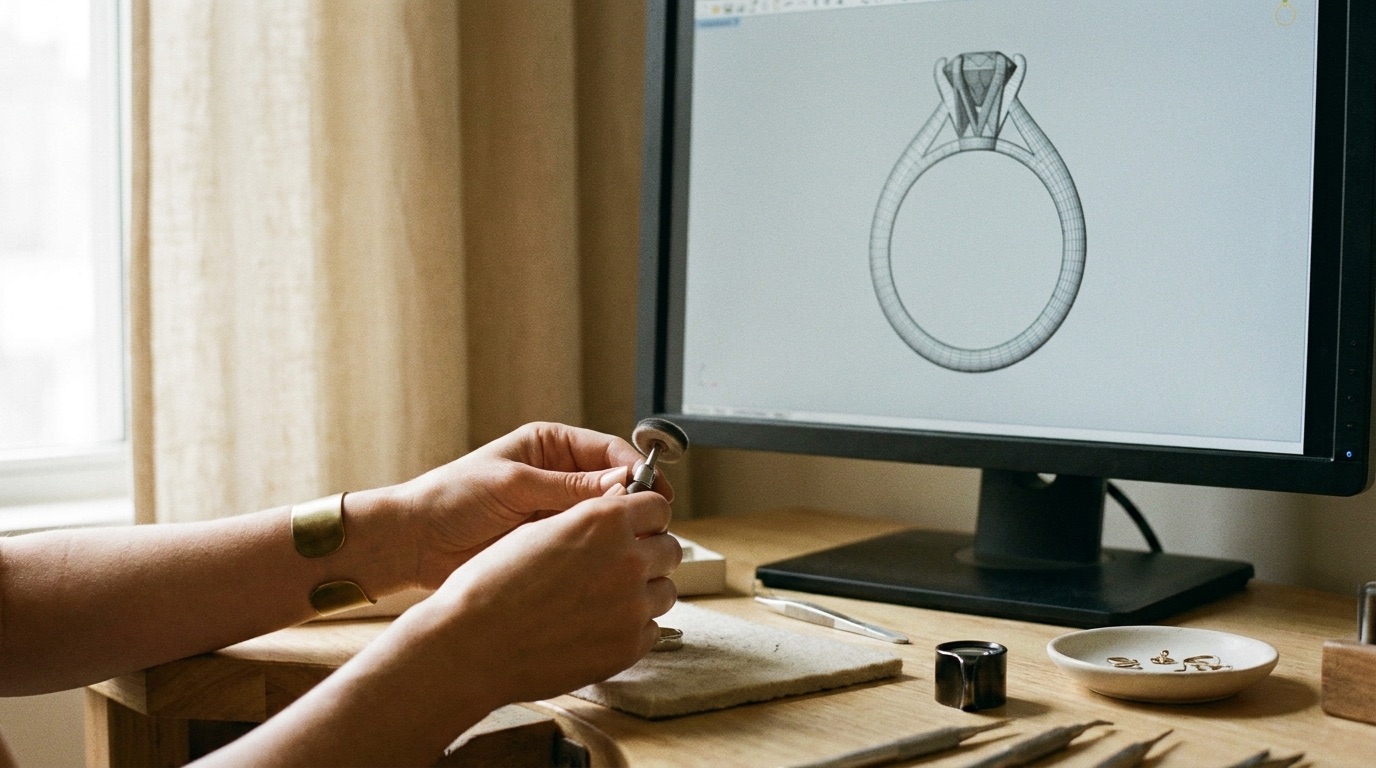
Custom orders through Guru Diam route through a single reviewer relationship rather than getting reassigned to whoever is available that day, so the person looking at your revision round two is the same person who looked at round one — and the same person who has the original order brief in front of them. Cutting, setting, and polishing happen in-house, which keeps the CAD file, the casting, and the setting bench inside one accountable chain instead of splitting the piece across separate vendors with separate file conventions to reconcile.
Center stones ship with IGI, GIA, or GCAL certification available, so the cert-match check described above is a straightforward lookup against a recognized lab report rather than a guess. Finished pieces are unbranded by default, so a jeweler reselling the piece under their own name isn't stuck stripping a maker's mark before it reaches a client's hands.
Once a file is signed off, custom pieces move through casting, setting, and finishing in a 4-6 day window — a fraction of the two-to-six-week turnaround that's typical elsewhere in the trade for comparable custom work. That timeline is exactly why the review discipline above matters so much: a remake resets a 4-6 day cycle back to a wax pattern, while a five-minute review round doesn't touch it at all.
Frequently Asked Questions
How many CAD revision rounds should I expect before casting?
Most custom orders resolve within one to two revision rounds. The initial render establishes basic geometry and almost always needs adjustment to prong height, metal weight, or band profile. The second round is typically the one that gets approved — which is exactly why it deserves the same scrutiny as the first, not less.
What happens if I approve a CAD file without checking prong height or stone seating?
Errors that reach a cast piece stop being file corrections and become physical remakes. Prongs that are slightly too low or high can sometimes be adjusted post-cast, but seating errors that affect stone placement usually require pulling the stone and, in some cases, restarting the cast entirely. A correction that would have taken two minutes in the file turns into a multi-day rebuild once it's in metal.
Can changes still be made once casting has started?
No. Once an approved file becomes a wax or resin pattern and enters the flask, there is no editing — only remaking. Anything identified after that point requires a fresh CAD revision and a full pass back through casting, setting, and finishing.
Who is responsible if the finished piece doesn't match what I approved?
Pieces are built to match the exact file version signed off at final approval — that's the entire function of sign-off. If the finished piece deviates from the approved file, that's a manufacturing error and gets corrected as a remake. If the approved file itself contained an error that review missed, that's a gap in the review process rather than a build error — which is exactly why catching issues before sign-off matters more than catching them after the piece is finished.
Does the 4-6 day custom jewelry turnaround start from CAD sign-off?
Yes. The 4-6 day window for a completed custom piece runs from CAD approval through casting, setting, and finishing. It does not apply to loose diamond delivery, and it resets if the piece needs additional CAD rounds or a post-casting remake.
Should I review the CAD myself, or have someone else on my team check it?
Whoever has the closest connection to the client's original request and specifications should be the one who signs off — not necessarily whoever responds fastest. A second set of eyes helps too, particularly on prong height and metal weight, since front-office staff reviewing a file while caught up in client enthusiasm tend to focus on how the render looks rather than whether it matches spec.